Trusted by Industry Leaders
Contacts, leads and deals, linked to every booking
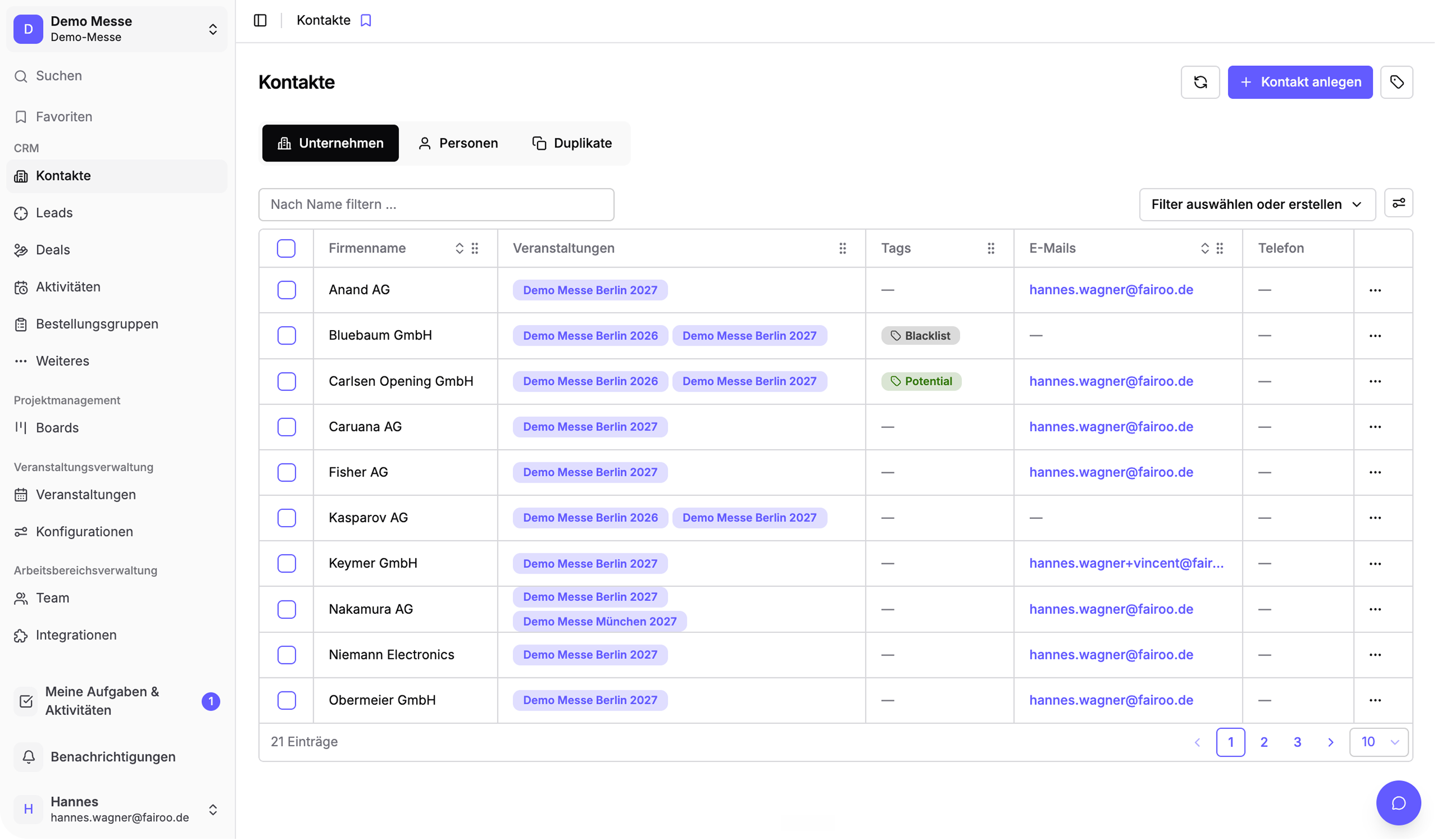
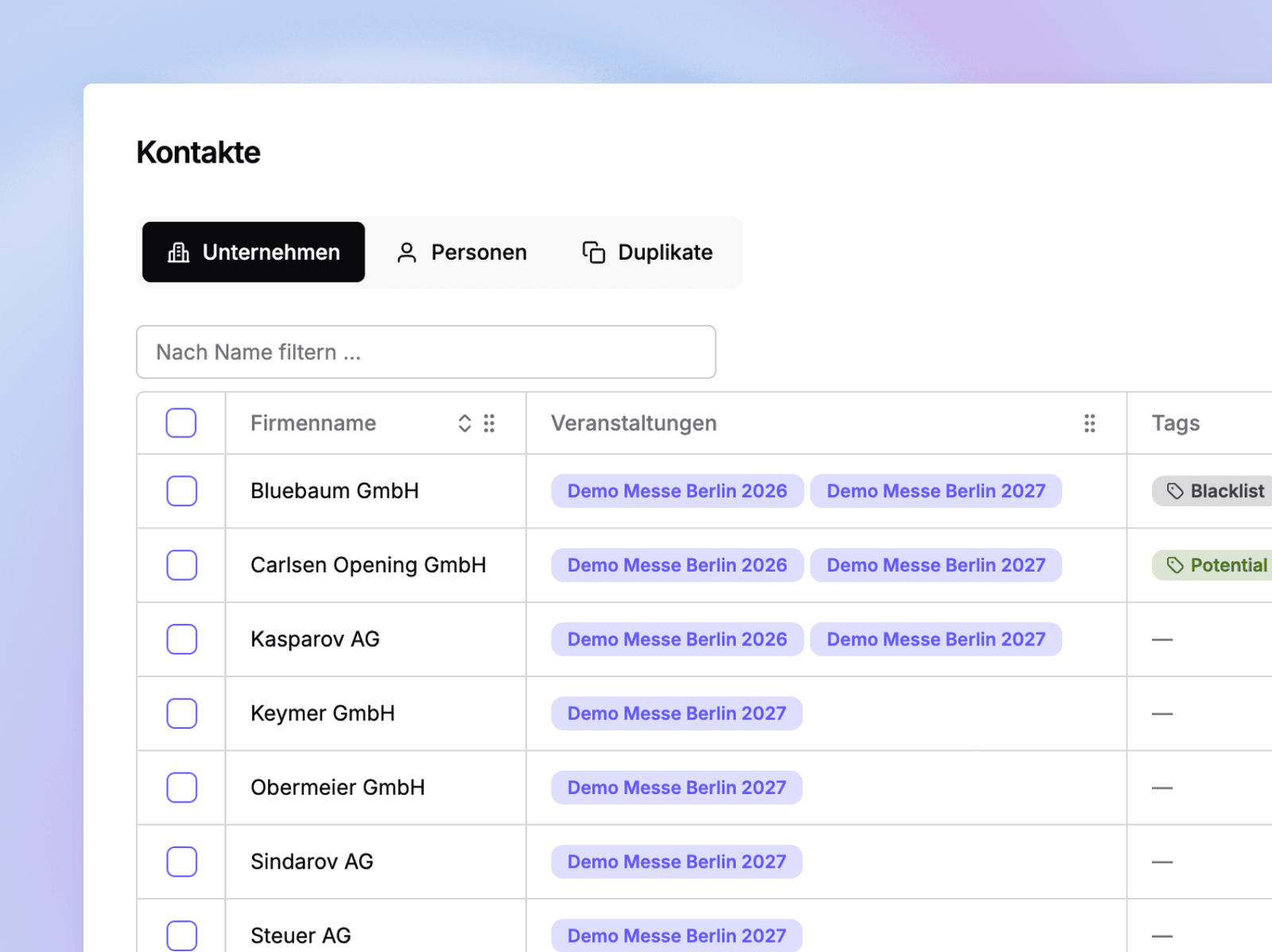
You manage companies and people as contacts, plus leads and deals. Notes and activities live directly on the contact, lead or deal. Send emails from templates or sync with Gmail or Outlook. Every booking, offer and booth space in Fairoo builds on this data.
- Companies and people as contacts
- Notes and activities per contact and lead
- Email sending from templates
- The basis for bookings, offers and booth spaces
Pipelines with freely definable stages
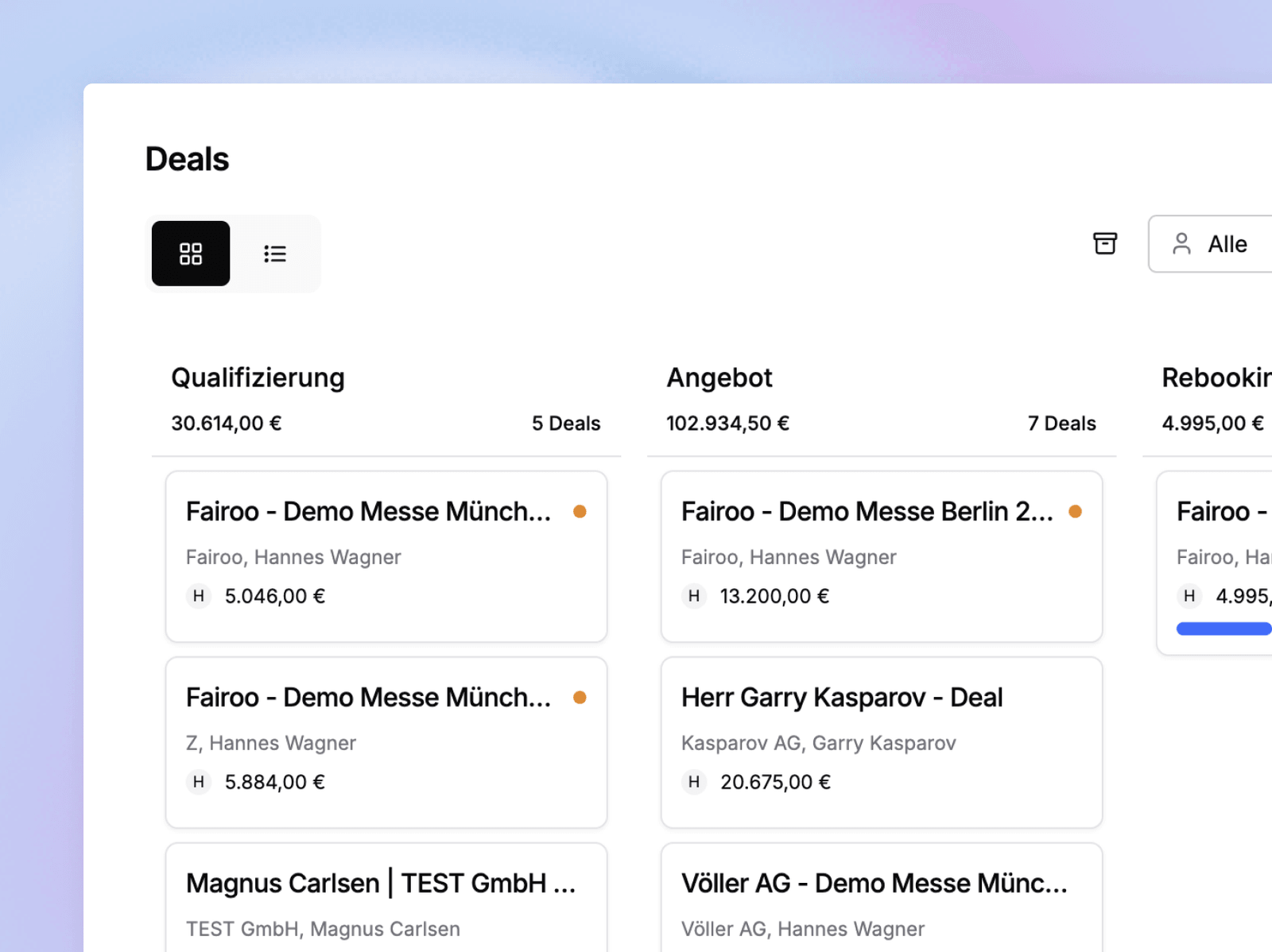
Organize deals in multiple pipelines with custom stages, for example per event or sales process. The status of every deal is visible at any time, from the first inquiry to closing.
- Multiple pipelines per sales process
- Freely definable stages
- Deal status visible at any time
Tasks and automations for the routine work
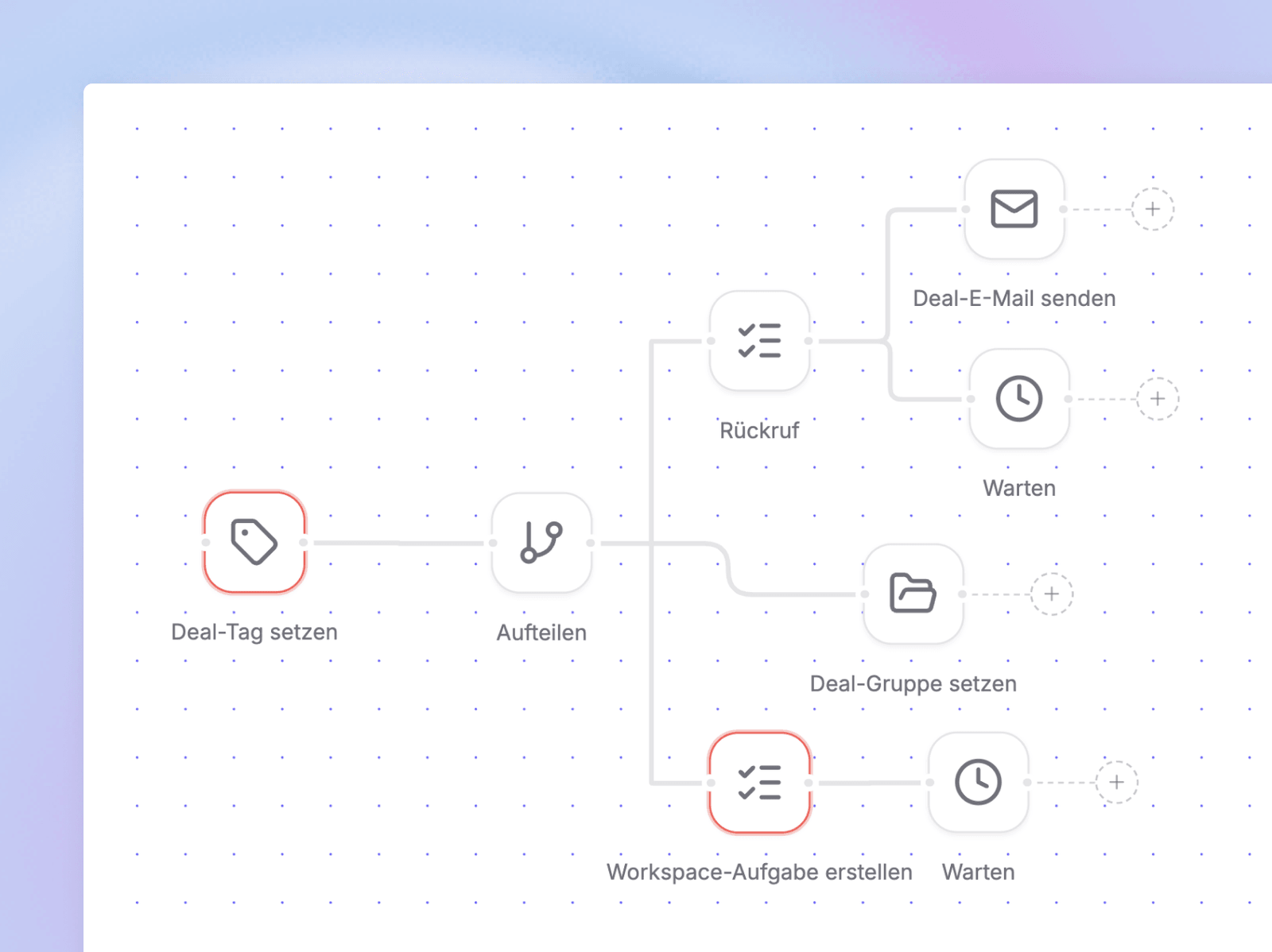
Create tasks manually for deals and leads, or have them created automatically, for example a callback after a new inquiry. Automations react to status changes and categories: send an email from the matching template, create a task or assign a tag.
- Tasks per deal and lead, manual or automatic
- Triggers: status changes and categories
- Actions: emails, tasks, tags
- Set up once, runs in the background
Integrations: Gmail, Outlook and your existing CRM
Emails and appointments sync with Gmail and Outlook and appear directly on the contact. Connect your existing CRM: contacts and deals sync in both directions. Your leading system stays in place, Fairoo handles the trade show business.
- Email and calendar sync with Gmail and Outlook
- Email history and appointments directly on the contact, lead or deal
Everything day-to-day trade show sales needs
Deliberately lean, the foundation for all trade show features
Automatic duplicate check
Possible duplicates are flagged and can be merged easily when needed.
Pipelines & stages
Organize deals in multiple pipelines with freely definable stages.
Tasks
Created manually for deals and leads or automatically, for example for callbacks.
Email templates
Send emails from templates directly on the contact, lead or deal.
Automations
Status changes and categories trigger emails, tasks or tags.
Email & calendar sync
Emails and appointments sync with Gmail and Outlook.
Everything on the record
Notes, activities, emails and appointments live directly on the contact, lead or deal. Your team sees every interaction in context.
Every deal in view
Deals run in pipelines with custom stages. The status is visible at any time, from the first inquiry to closing.
Routine runs automatically
Status changes and categories trigger emails, tasks or tags. Set up once, the routine work runs in the background.
No system switch needed
Your existing CRM stays the leading system. Contacts and deals sync in both directions.
Demo
Book a no-obligation intro call
In a short intro call you'll receive trial access and can walk through a process live using one of your own events, with no commitment.
Scheduling via Cal.com
We use the external service Cal.com (a US-based provider) for online scheduling. A connection to Cal.com's servers, transmitting your IP address among other data, is only established once you activate it. For details, see our privacy policy.