Trusted by Industry Leaders
Booking and contact forms for exhibitor inquiries
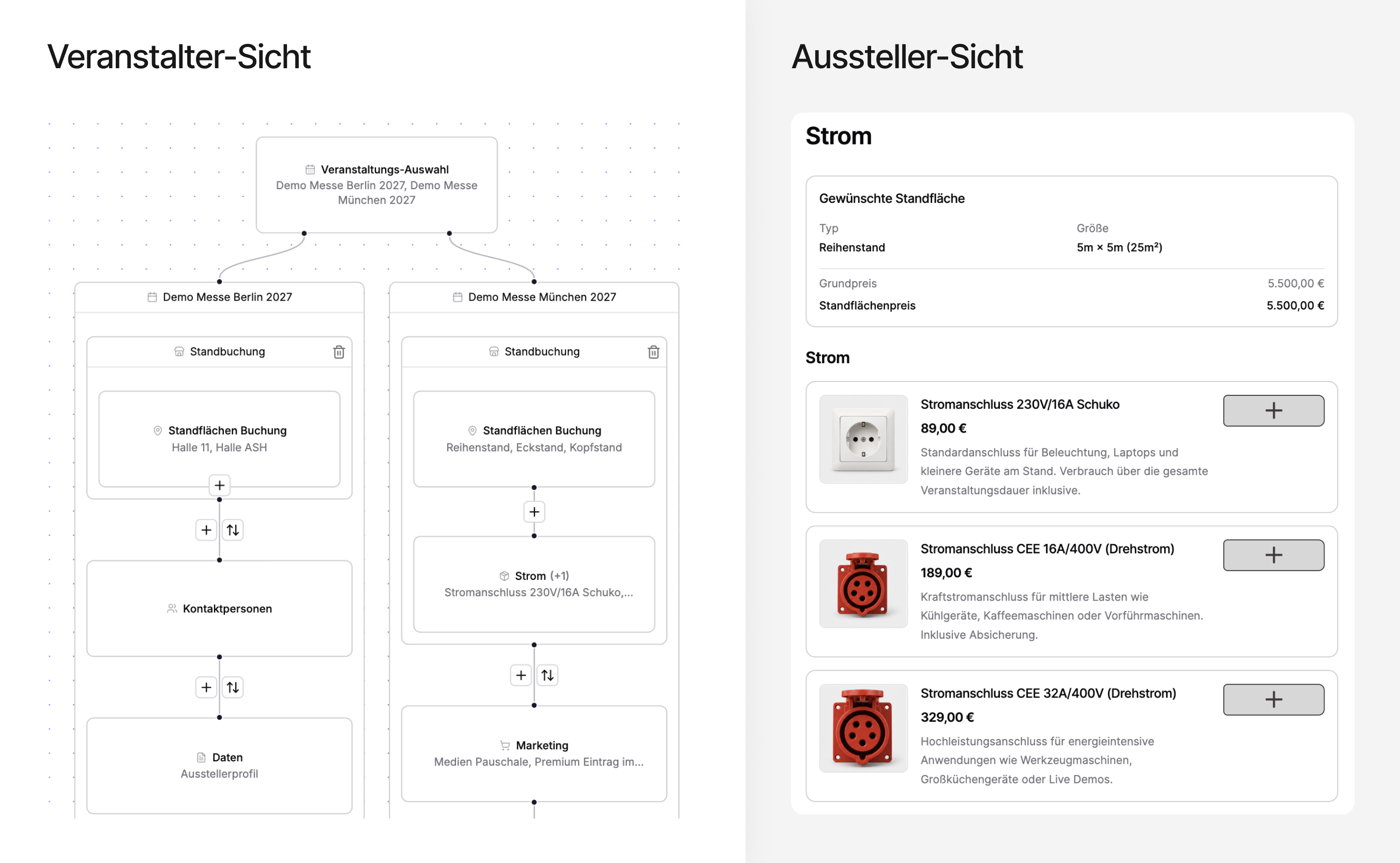
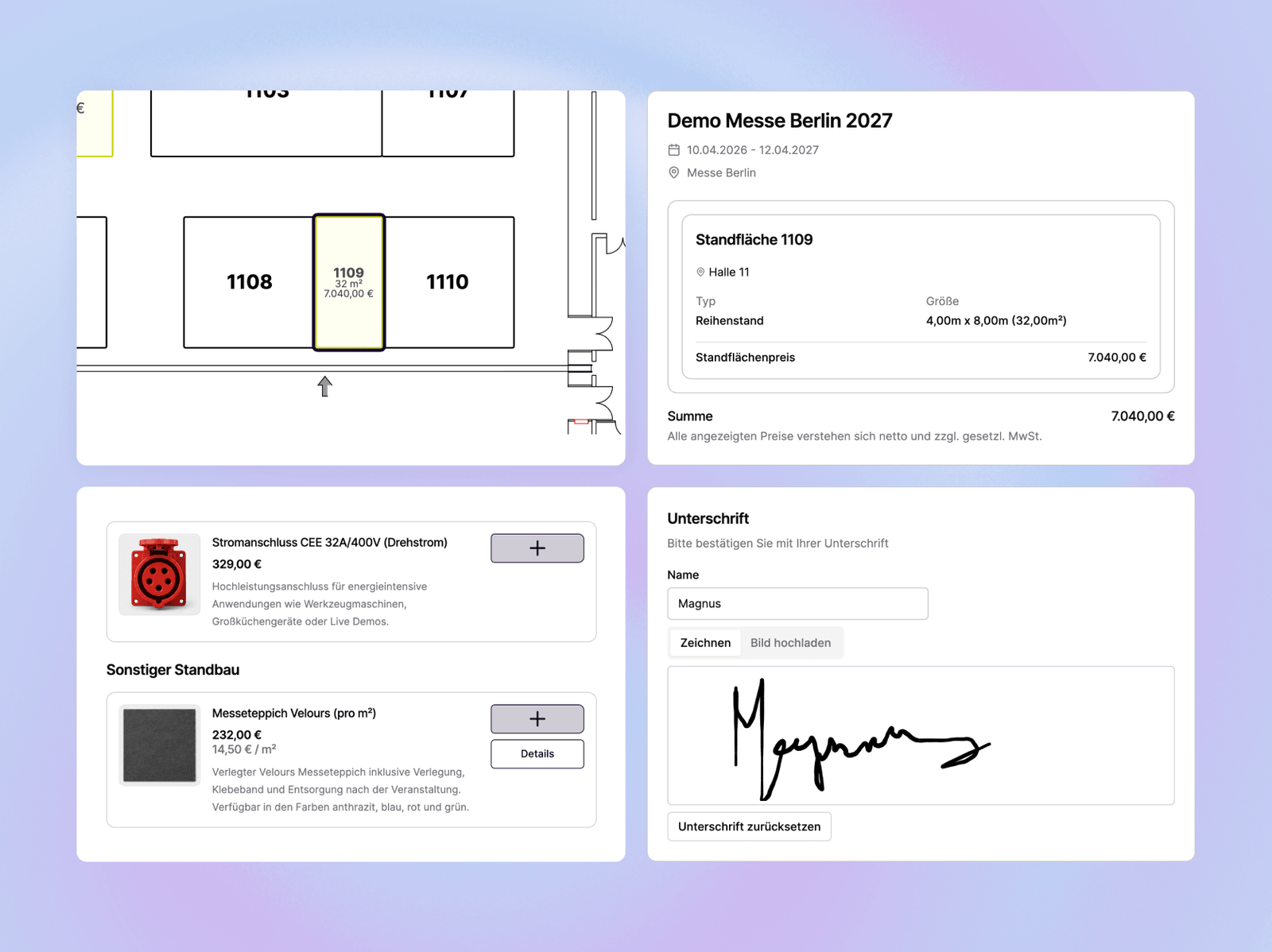
Exhibitors select their booth space, fill in all the relevant details and submit a binding booking request. Data from previous bookings can be carried over directly, across shows and locations, and several shows can be booked in a single step. Organizers can send pre-filled forms on request, leaving the exhibitor only to complete them. This keeps booking simple and transparent for both sides.
- Booking request including booth space
- Carry over data or book several shows at once
- Pre-filled forms from the organizer
Define exhibitor booking on your terms
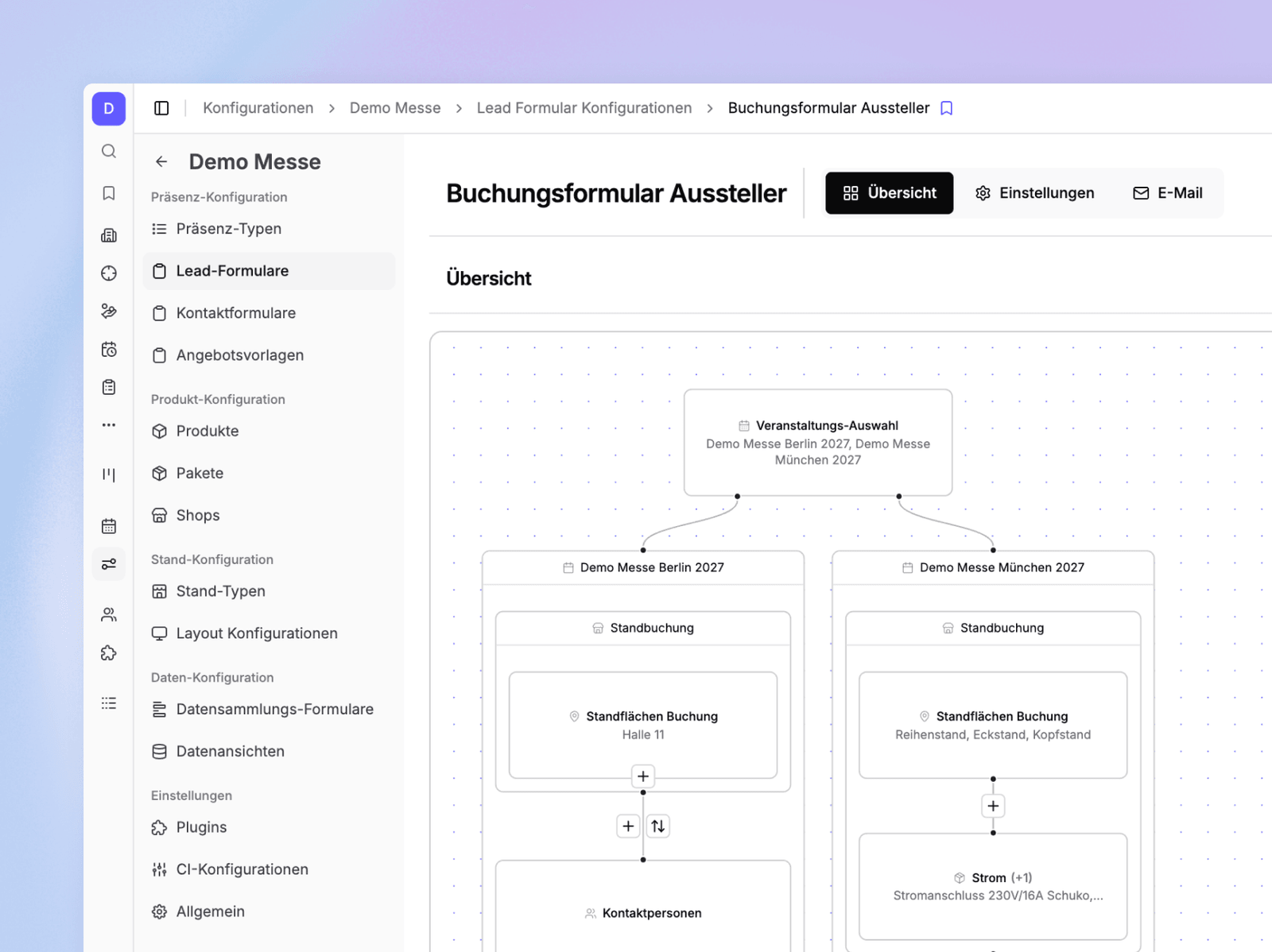
Configure booking and contact forms for each event yourself: floor-plan-based booking, free area sizes, fixed sizes or booth packages. You decide which booth products, data fields, invoicing details and signatures are requested, and where.
- Early-bird and conditional discounts, e.g. for startups
- Define data fields depending on product bookings
- Embed your own legal texts
- Booking flow in your event's CI
Send offers, rebooking offers or pre-filled booking forms
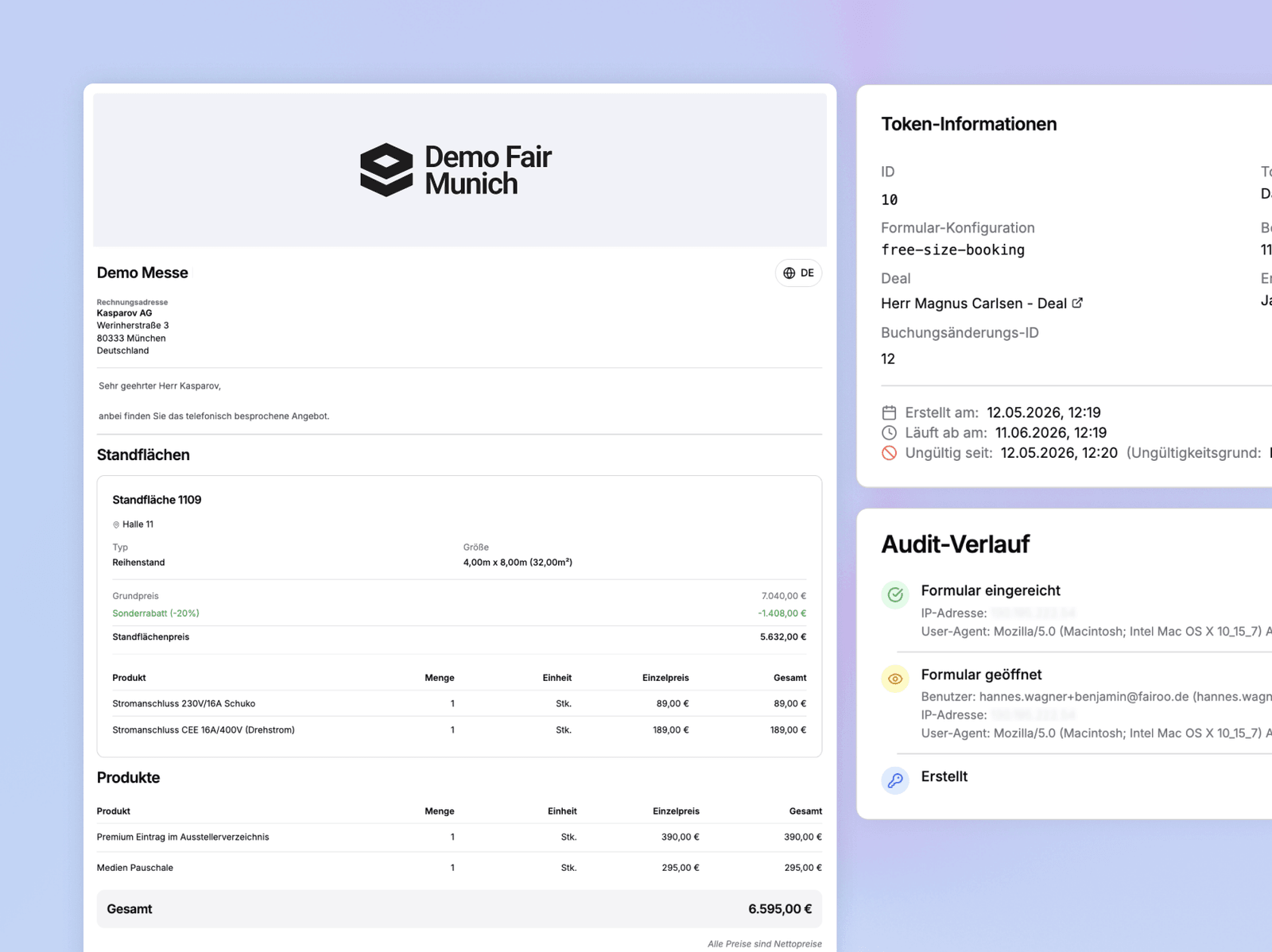
Create pre-filled booking forms after the first call, or send one-page offers with discounts and special terms. You can see at any time when an offer was opened and when it was submitted.
- Pre-filled forms the exhibitor only completes
- One-page offers the exhibitor just accepts
- Discounts, special agreements and changes documented in the offer
- Opens and submissions tracked automatically
Collect and manage inquiries and offers in one place
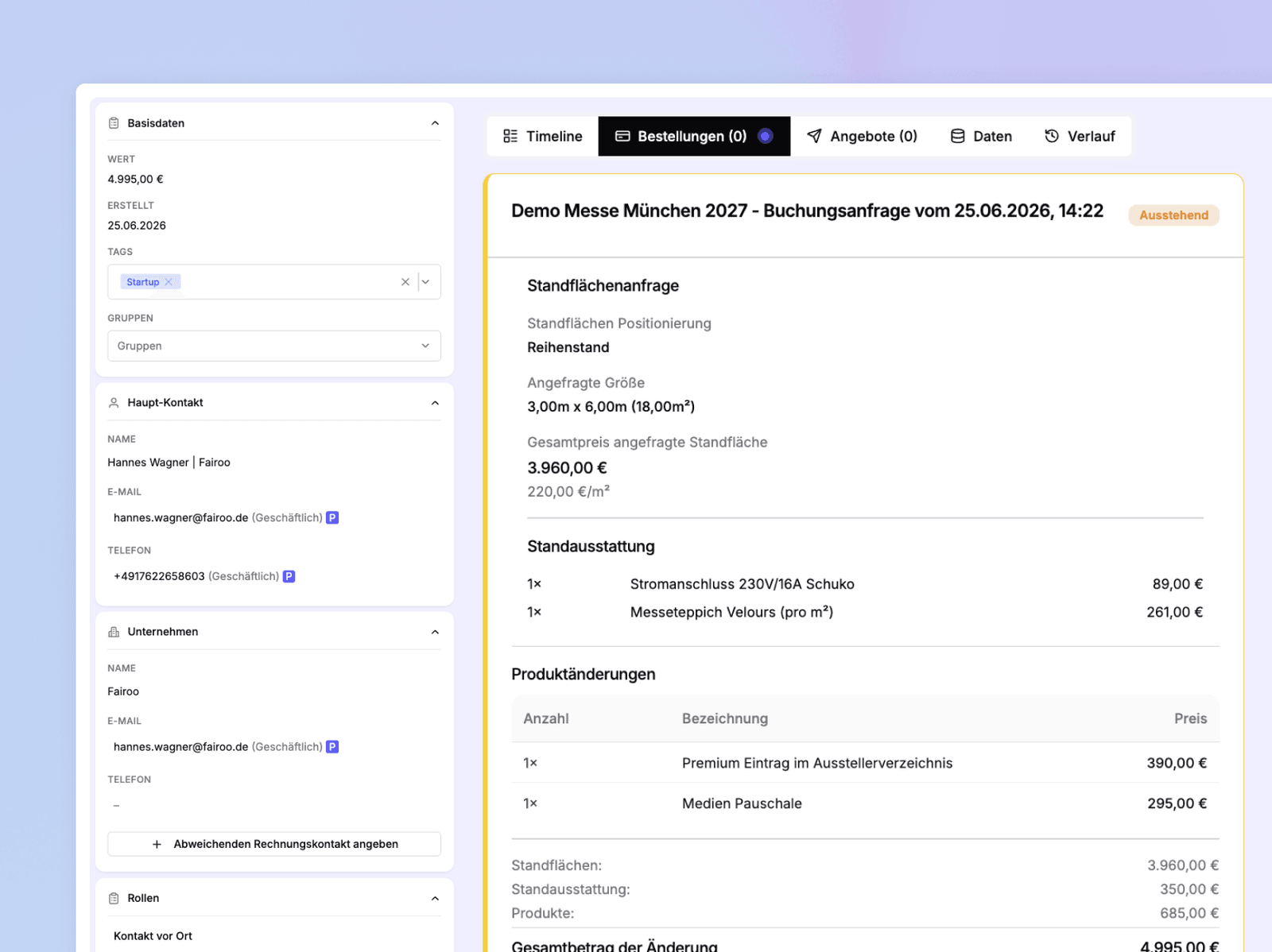
Every booking inquiry comes together in one place: contact and invoicing details, the exhibitor's comments on the booth space, signature data and the full history. Create counter-offers straight from the deal.
- Manage all inquiries and bookings centrally
- Positioning requests and comments per exhibitor
- Create counter-offers straight from the booking
See where your event stands at any time
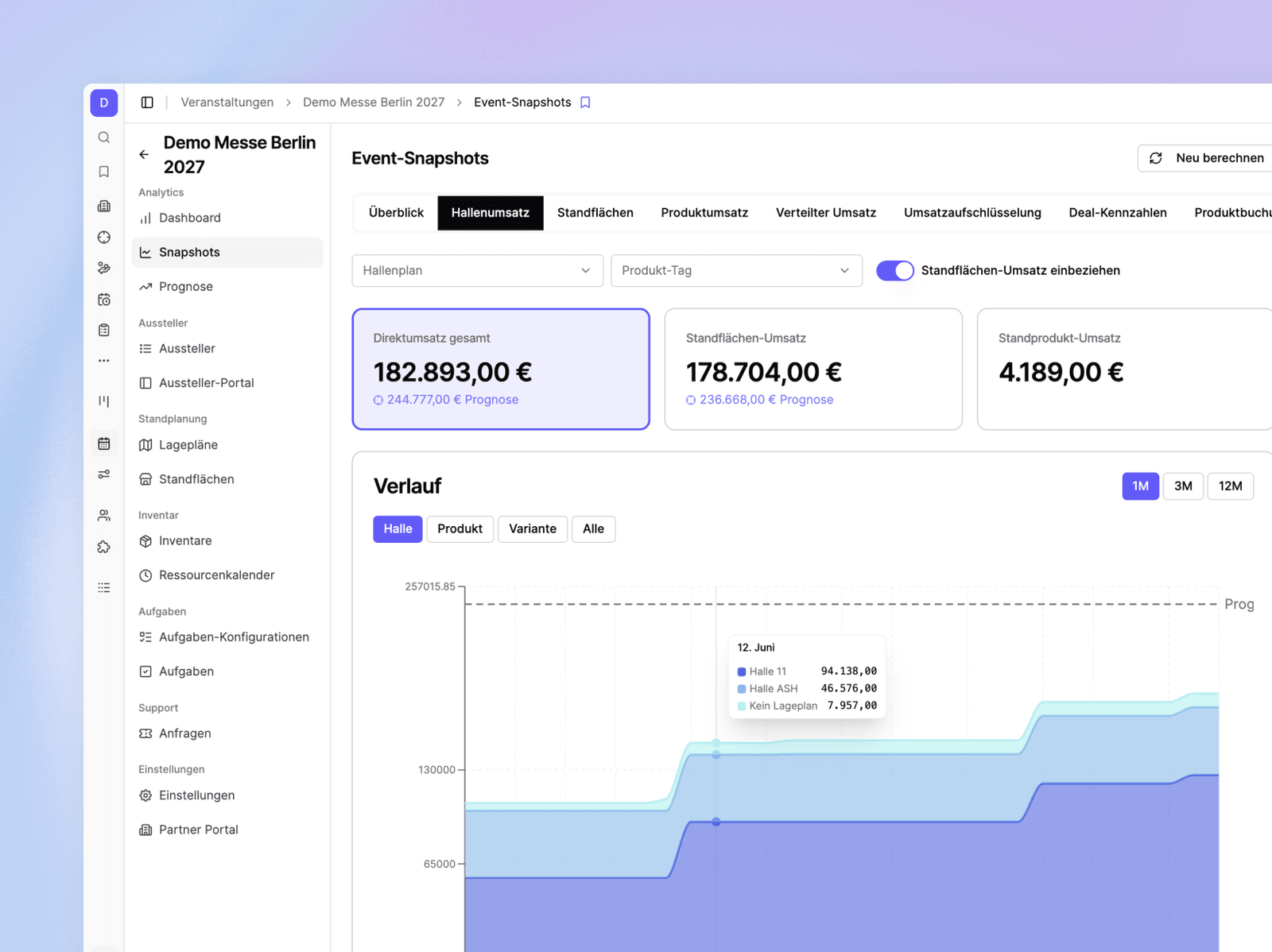
The dashboard shows you open and won deals, offers sent and the hall utilization for each. You can filter revenue by hall, booth type and product, and break it down by invoicing status (from 'not invoiced' to 'paid'). You can also monitor your exhibitor distribution by category and industry.
- Deals, offers and space utilization at a glance
- Revenue by hall, booth type and invoicing status
- Exhibitor distribution by category and industry
- Set revenue targets and track forecasts
Everything you need for your booking process
From the digital offer to the paid booking
Digital Contracts
Create and send legally binding contracts with one click. Digital signatures, automatic archiving and version control included.
Templates for offers & forms
Build once, always ready: booking forms and offers, optionally pre-filled and with the booth space already assigned.
Payment Tracking
Keep track of payment deadlines and outstanding amounts. Automatic reminders reduce the need for manual follow-up to a minimum.
Booth Position in Offer
Assign the booth space right in the offer. Exhibitors see their position in the floor plan and understand exactly what they're booking.
Automatic Reminders
Reminders and automated tasks make sure no deal falls through the cracks.
CRM Sync
Contacts and deals sync both ways with your existing CRM. One source of truth across all systems.
Faster deals
Offers with a visible booth position leave fewer questions open. The exhibitor sees their space and signs digitally.
Less routine work
Templates, automatic reminders and status updates run in the background. Your team focuses on selling.
Full transparency
See at any time which offers are pending, accepted or overdue, and what revenue sits in the pipeline.
Self-service for exhibitors
Exhibitors book on their own, carry over data from previous shows and upload documents right in the form.
Demo
Book a no-obligation intro call
In a short intro call you'll receive trial access and can walk through a process live using one of your own events, with no commitment.
Scheduling via Cal.com
We use the external service Cal.com (a US-based provider) for online scheduling. A connection to Cal.com's servers, transmitting your IP address among other data, is only established once you activate it. For details, see our privacy policy.