En

End-to-End digital trade show planning. All on one platform.

End-to-End digital trade fair planning.
Everything on one platform.

End-to-End digital trade fair planning.
Everything on one platform.

From lead generation and booth planning to follow-up bookings and data analysis, Fairoo helps you automate your trade show processes and increase your revenue.

Dot Background
Dot Background
Fairoo web app: “Manage Data” overview for exhibitor “Niemann Telecommunication GmbH” in the demo event “Demo Trade Fair Berlin.” On the left, the main menu with items such as Exhibitors, Booth Planning, and Inventory. On the right, the detail view: Orders, change requests with status buttons “Accept” and “Reject.” At the top, a toolbar with event breadcrumbs and user profile.

Supported by

Logo
Logo
Logo
Logo

Your benefits

With Fairoo, you stay flexible: interfaces to CRM, ERP, and accounting systems ensure seamless integration into your existing infrastructure.

Your benefits

With Fairoo, you stay flexible: interfaces to CRM, ERP, and accounting systems ensure seamless integration into your existing infrastructure.

Generate more revenue

Generate more revenue

Automatically create exhibitor profiles, product pages, and ads. Ensure maximum visibility and additional bookings in the exhibitor portal.

Generate more revenue

Generate more revenue

Automatically create exhibitor profiles, product pages, and ads. Ensure maximum visibility and additional bookings in the exhibitor portal.

Generate more revenue

Generate more revenue

Automatically create exhibitor profiles, product pages, and ads. Ensure maximum visibility and additional bookings in the exhibitor portal.

Higher exhibitor satisfaction

Higher exhibitor satisfaction

Simpler communication, clearer processes: exhibitors can book independently, upload data, and make additional bookings at any time.

Higher exhibitor satisfaction

Higher exhibitor satisfaction

Simpler communication, clearer processes: exhibitors can book independently, upload data, and make additional bookings at any time.

Higher exhibitor satisfaction

Higher exhibitor satisfaction

Simpler communication, clearer processes: exhibitors can book independently, upload data, and make additional bookings at any time.

Less manual work

Less manual work

Say goodbye to Excel chaos and copy-paste: with automated workflows, you save valuable time on administration.

Less manual work

Less manual work

Say goodbye to Excel chaos and copy-paste: with automated workflows, you save valuable time on administration.

Less manual work

Less manual work

Say goodbye to Excel chaos and copy-paste: with automated workflows, you save valuable time on administration.

Less risk through centralized data management

Less risk

All information about exhibitors, bookings, and booths in one system. No data loss, no redundancy, full control.

Less risk through centralized data management

Less risk

All information about exhibitors, bookings, and booths in one system. No data loss, no redundancy, full control.

Less risk through centralized data management

Less risk

All information about exhibitors, bookings, and booths in one system. No data loss, no redundancy, full control.

Your digital trade show process

Fairoo supports you from the initial inquiry to the final evaluation. Every step of your trade show workflow is supported by smart features—for maximum efficiency and the best exhibitor experiences.

Your digital trade show process

Fairoo supports you from the initial inquiry to the final evaluation. Every step of your trade show workflow is supported by smart features—for maximum efficiency and the best exhibitor experiences.

Acquisition & CRM

Acquisition & CRM

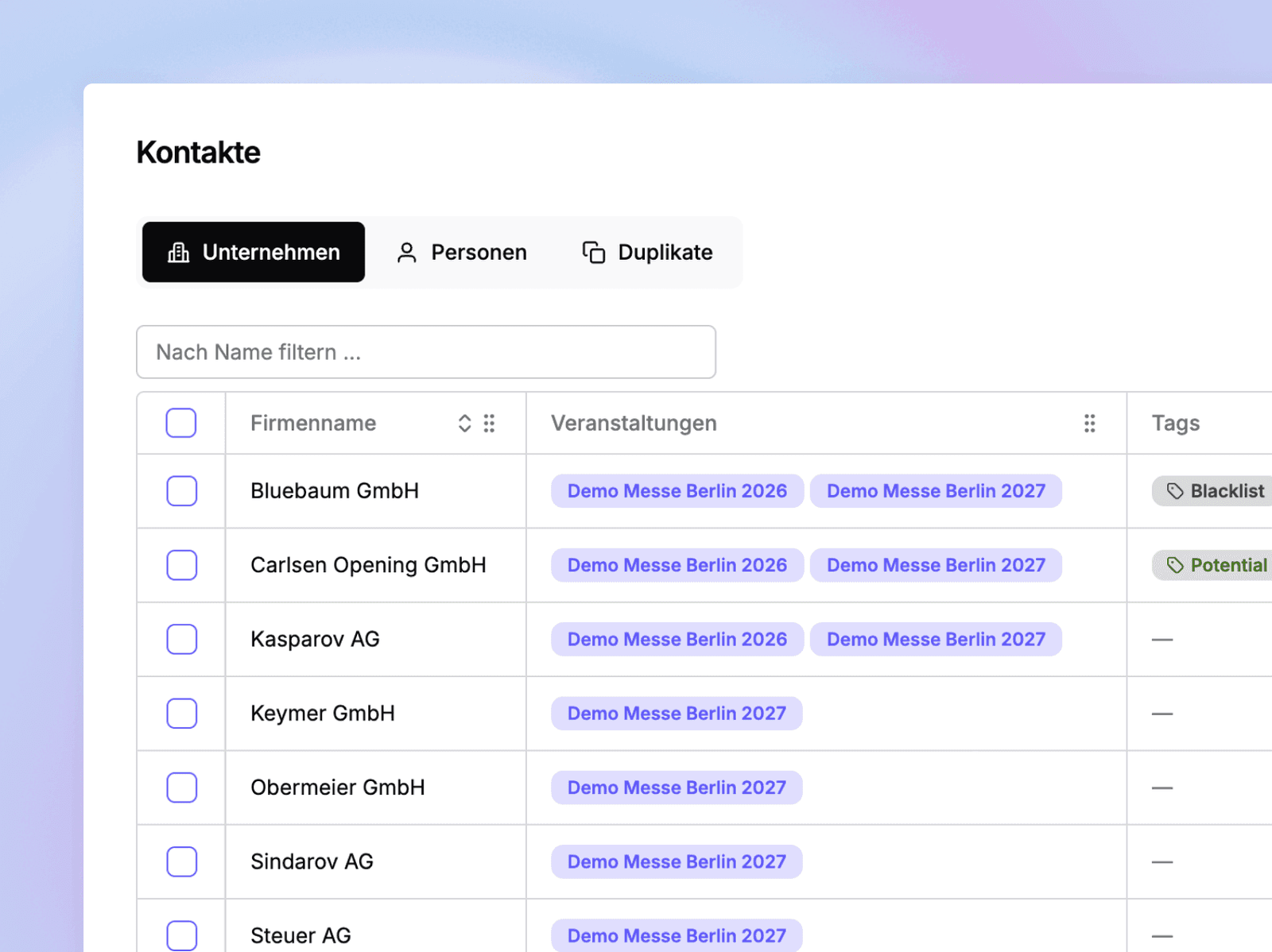
With Fairoo CRM, you always keep your sales pipeline in view: Manage leads, contacts, and deals centrally, automate recurring tasks, and focus entirely on sales.

Our integrated CRM was developed specifically for trade fair organizers – with all the features you need for successful exhibitor acquisition.

With Fairoo CRM, you always keep your sales pipeline in view: Manage leads, contacts, and deals centrally, automate recurring tasks, and focus entirely on sales.

Our integrated CRM was developed specifically for trade fair organizers – with all the features you need for successful exhibitor acquisition.

More about our Trade fair CRM->

More about our Trade fair CRM->

More about our Trade fair CRM->

Do you already use a CRM?

No problem: Fairoo offers interfaces to systems like Hubspot or Pipedrive.

Do you already use a CRM?

No problem: Fairoo offers interfaces to systems like Hubspot or Pipedrive.

Fairoo CRM module: Title ‘Acquisition & CRM’ with a short explanation on the left (‘With Fairoo CRM, you can keep track of your sales pipeline…’), with a ‘Demo’ button below. On the right, a table with customer selection (Volkswagen AG, Audi, Skoda, Porsche, Renault) and icons for HubSpot, Pipedrive, SAP, as well as a lead counter ‘189 leads’.
Booking overview in Fairoo: On the left, a booth booking form with a corner booth option, variable size (5 m × 4 m, 20 sqm), position price, subtotal, and discount. On the right, a text section titled ‘Booking’ with a description of digital booking options and drag-and-drop planning. Below are keyword tags such as booth types, booth positioning, packages, early-bird discount, lead magnet, products, data queries, and booth size.

Booking

Booking

Let exhibitors submit inquiries via a contact form or book directly through a digital booking form.

Edit bookings and inquiries manually and plan booths flexibly using drag-and-drop.

Also determine which information is requested during the booking process—and what can be added or booked later in the portal.

Let exhibitors submit inquiries via a contact form or book directly through a digital booking form.

Edit bookings and inquiries manually and plan booths flexibly using drag-and-drop.

Also determine which information is requested during the booking process—and what can be added or booked later in the portal.

Stand types

Stand types

Icon

Stand positioning

Icon

Stand positioning

Icon

Packages

Icon

Packages

Icon

Early-bird & volume discounts

Icon

Early-bird & volume discounts

Icon

Lead magnet

Icon

Lead magnet

Icon

Products

Icon

Products

Icon

Data queries

Icon

Data queries

Icon

Booth size

Icon

Booth size

With Fairoo MAP, you can plan your halls digitally—without external CAD software and still DWG-compatible.

Place booths via drag-and-drop, upload DWG or SVG files, and flexibly draw power and water connections, emergency routes, hall areas, or equipment elements on different layers.

Export your plans as SVG, PDF, PNG, or DWG—or embed them interactively in a modern design directly on your website.

With Fairoo MAP, you can plan your halls digitally—without external CAD software and still DWG-compatible.

Place booths via drag-and-drop, upload DWG or SVG files, and flexibly draw power and water connections, emergency routes, hall areas, or equipment elements on different layers.

Export your plans as SVG, PDF, PNG, or DWG—or embed them interactively in a modern design directly on your website.

AutoCAD-compatible

AutoCAD-compatible

Icon

Multi-level planning

Icon

Multi-level planning

Icon

Emergency exits

Icon

Emergency exits

Icon

Infrastructure points

Icon

Infrastructure points

Icon

Drag-and-drop planning

Icon

Drag and Drop

Icon

Occupancy overview

Icon

Occupancy overview

Icon

Interactive website integration

Icon

Interactive website integration

Fairoo MAP floor plan: On the left, the heading “Floor Plan” and a description of digital hall planning without CAD, with DWG compatibility, drag-and-drop booth placement, and export as SVG/PDF/PNG/DWG. Below are tags such as AutoCAD-compatible, multi-level planning, emergency routes, infrastructure points, drag-and-drop planning, occupancy overview, and interactive website integration. On the right are two preview windows: search for “Techlify,” a DWG icon, and a blue highlighted booth object “B101” on a grid.
Fairoo Exhibitor Portal: Heading ‘Exhibitor Portal’ with text about data uploads for catalog entries and additional services, automatic reminders, and to-dos. On the left, three UI screenshots: invitation email to Techify GmbH, login screen ‘Demo Trade Fair’, form page with fields for name, number of employees, description, email, and upload buttons for logo/banner. Below are tags ‘Data Upload’, ‘Product Catalog’, ‘Deadlines’, ‘Automatic Reminders’, ‘Booking Overview’, ‘Setup Times’.

Exhibitor Portal

Exhibitor Portal

In the exhibitor portal, exhibitors upload all booking-relevant data directly—such as for catalog entries or booked additional services. At the same time, they maintain their exhibitor profile independently and keep it up to date at all times.

Additional services can be booked through the integrated product catalog. Setup times, deadlines, and to-dos can also be communicated centrally.

Missing information is automatically requested via reminders, and all bookings remain viewable by the exhibitor at any time.

In the exhibitor portal, exhibitors upload all booking-relevant data directly—such as for catalog entries or booked additional services. At the same time, they maintain their exhibitor profile independently and keep it up to date at all times.

Additional services can be booked through the integrated product catalog. Setup times, deadlines, and to-dos can also be communicated centrally.

Missing information is automatically requested via reminders, and all bookings remain viewable by the exhibitor at any time.

Data Upload

Data Upload

Icon

Product Catalog

Icon

Product Catalog

Icon

Deadlines

Icon

Deadlines

Icon

Automatic reminders

Icon

Automatic reminders

Icon

Booking overview

Icon

Booking overview

Icon

Set-up times

Icon

Set-up times

Dot background

Coming soon

AI Trade Fair Copilot

AI Trade Fair Copilot

In the future, Fairoo will support event organizers with intelligent assistance for trade fair communication.

Based on booking and CRM data, floor plans, information from the exhibitor portal, and email history, Fairoo helps respond to inquiries faster, more efficiently, and still in a personalized way.

Exhibitors also benefit directly: the AI actively supports them in trade fair preparation—by automatically answering frequent follow-up questions about setup times, facilitating additional bookings, or assisting with completing the exhibitor profile.

In the future, Fairoo will support event organizers with intelligent assistance for trade fair communication.

Based on booking and CRM data, floor plans, information from the exhibitor portal, and email history, Fairoo helps respond to inquiries faster, more efficiently, and still in a personalized way.

Exhibitors also benefit directly: the AI actively supports them in trade fair preparation—by automatically answering frequent follow-up questions about setup times, facilitating additional bookings, or assisting with completing the exhibitor profile.

Fairoo Trade Fair Copilot (coming soon): Headline with a ‘Coming Soon’ badge. Description on the left about intelligent assistance for trade fair communication based on booking, CRM, and portal data. On the right, a network diagram: central copilot icon connected to the Pipedrive logo, Outlook icon, and a company information window with the fields ‘Company Name’, ‘Website’, and ‘Short Description’.

See for yourself

In a short intro call, you’ll receive trial access and can walk through a process live using one of your own events—completely without obligation.

Background
Light
Light
Fairoo Logo

Product updates

Sign up for our newsletter now and be the first to hear about new features—no spam, just relevant information!

Frequently Asked Questions

What is fairoo?

Icon

How much does fairoo cost?

Icon

Can exhibitors book services independently?

Icon

Can fairoo be integrated into existing systems?

Icon

Which CAD formats does hall planning support?

Icon

How long does the implementation take?

Icon

Is fairoo GDPR-compliant?

Icon

Does fairoo also work for large trade shows?

Icon

Do we need technical know-how?

Icon

Frequently Asked Questions

What is fairoo?

Icon

How much does fairoo cost?

Icon

Can exhibitors book services independently?

Icon

Can fairoo be integrated into existing systems?

Icon

Which CAD formats does hall planning support?

Icon

How long does the implementation take?

Icon

Is fairoo GDPR-compliant?

Icon

Does fairoo also work for large trade shows?

Icon

Do we need technical know-how?

Icon
Background
Light
Have Questions? We're Here to Help!

Reach out to our support team for any queries or assistance. We're committed to ensuring your Minova experience is seamless and productive.

Background
Light
Have Questions? We're Here to Help!

Reach out to our support team for any queries or assistance. We're committed to ensuring your Minova experience is seamless and productive.

Frequently Asked Questions

What is fairoo?

Icon

How much does fairoo cost?

Icon

Can exhibitors book services independently?

Icon

Can fairoo be integrated into existing systems?

Icon

Which CAD formats does hall planning support?

Icon

How long does the implementation take?

Icon

Is fairoo GDPR-compliant?

Icon

Does fairoo also work for large trade shows?

Icon

Do we need technical know-how?

Icon
Background
Light
Have Questions? We're Here to Help!

Reach out to our support team for any queries or assistance. We're committed to ensuring your Minova experience is seamless and productive.

Background
Light
Have Questions? We're Here to Help!

Reach out to our support team for any queries or assistance. We're committed to ensuring your Minova experience is seamless and productive.