Trusted by Industry Leaders
One dashboard with everything coming up for the show
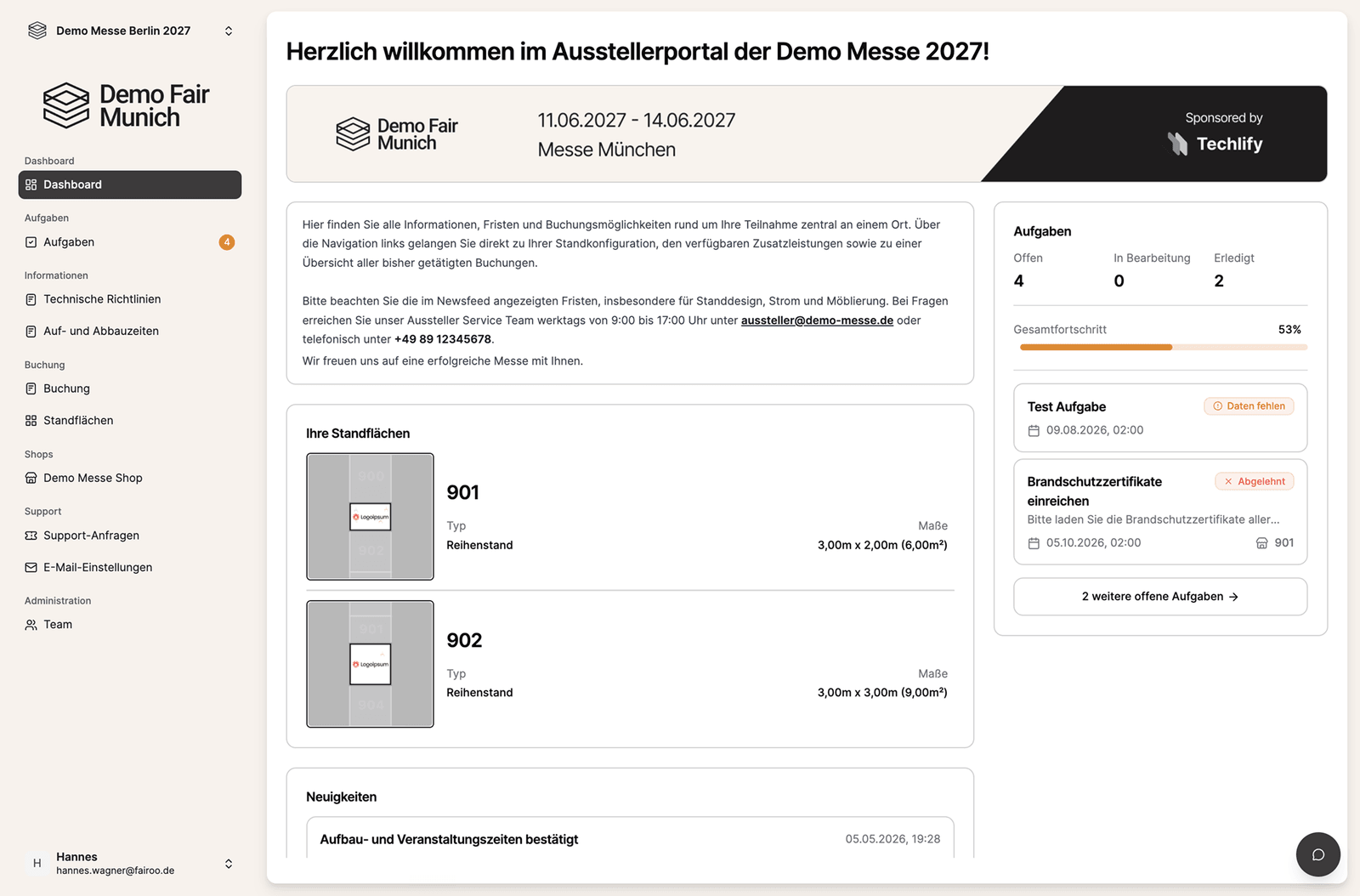
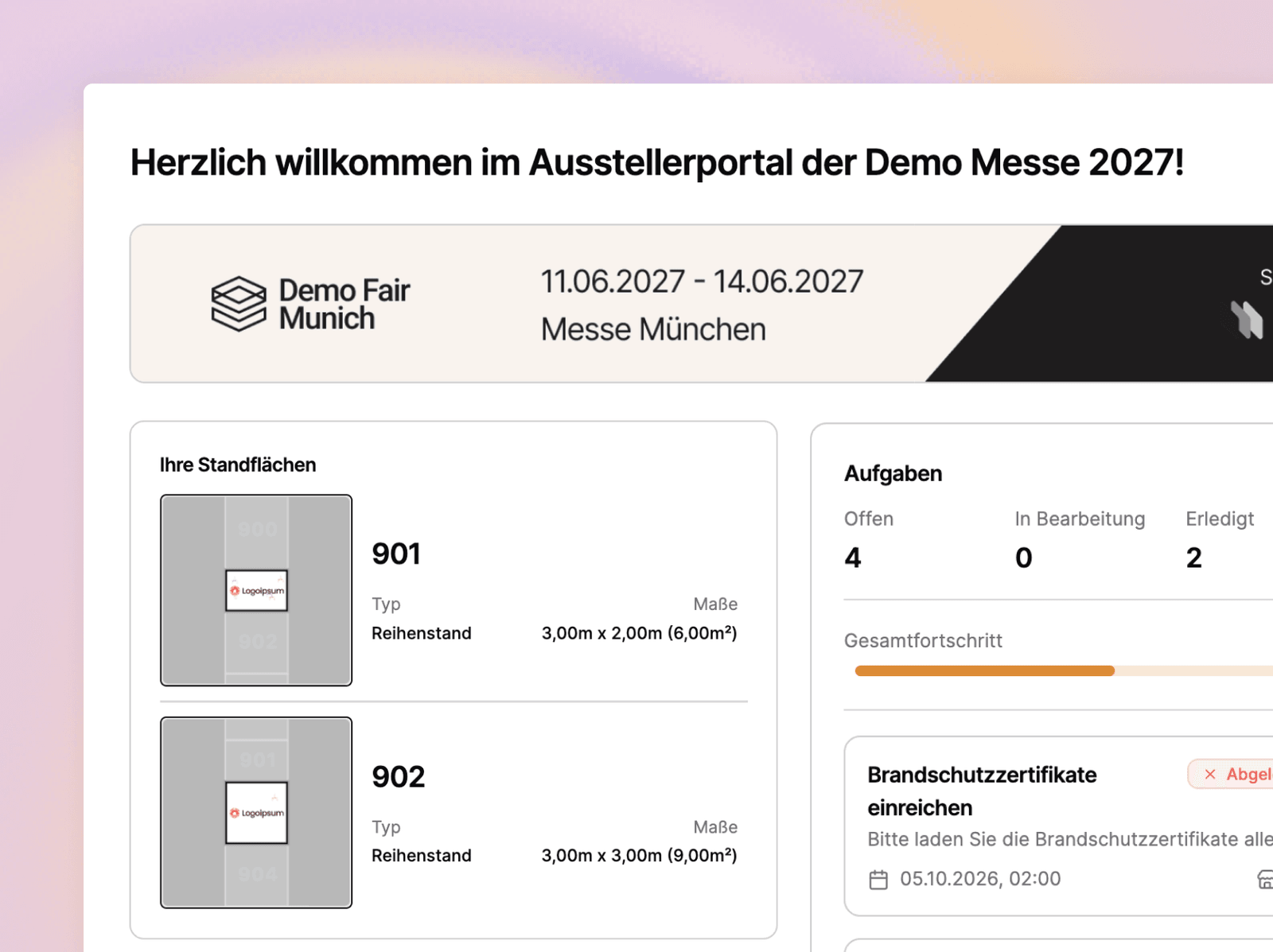
Every exhibitor starts on a personalizable dashboard: their booth spaces with type and dimensions, current news from the organizer and open tasks including overall progress. The state of their bookings is visible at all times, including requested positions that are still awaiting approval.
- Booth spaces, tasks and progress at a glance
- News and deadlines straight from the organizer
- Confirmed and requested bookings visible
- Individual welcome area per event
Booth spaces with their own layout editor
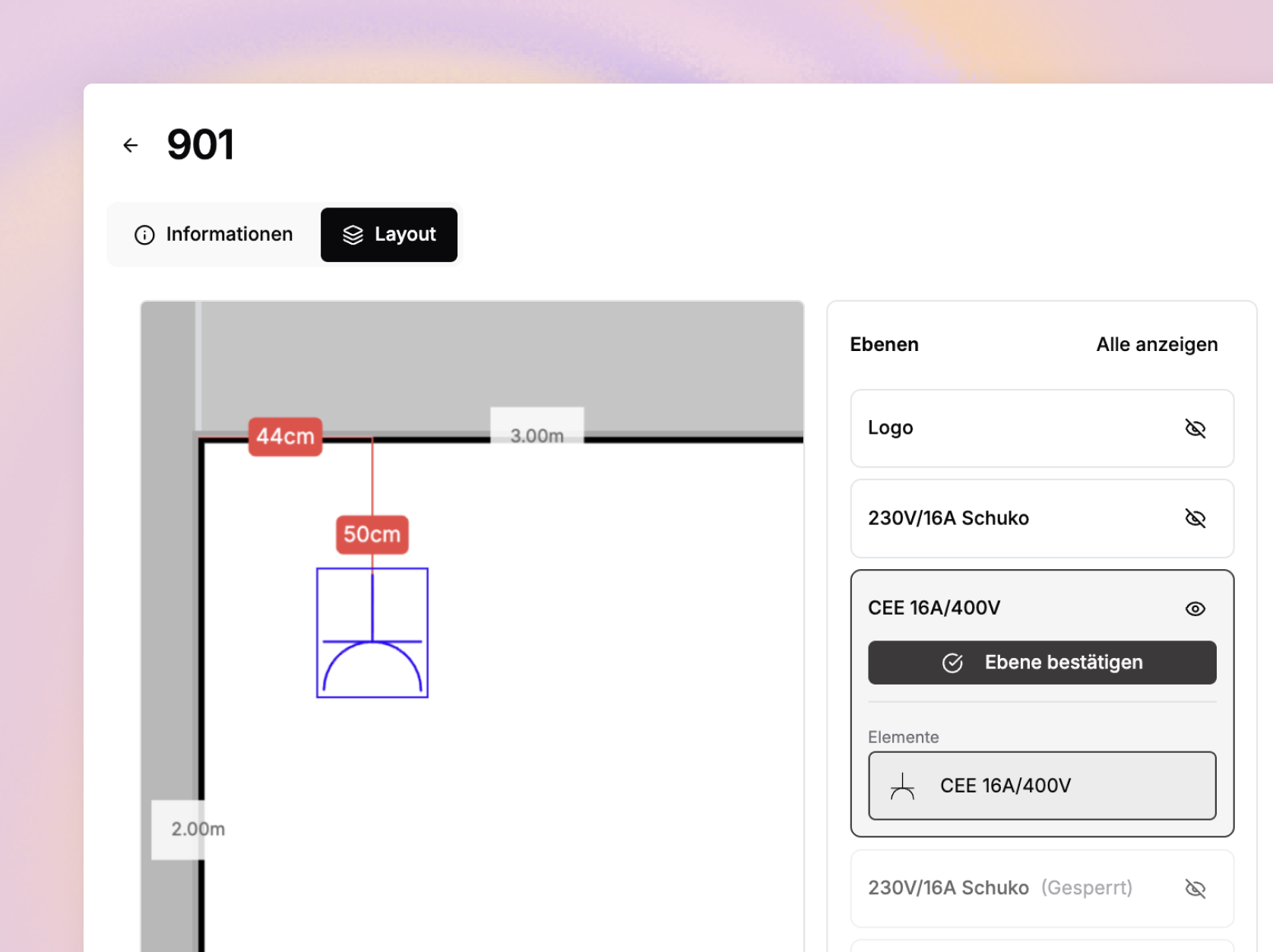
Exhibitors see each of their areas with number, size, hall, placement and the booked products, such as power connections. In the layout editor they edit their booth space directly on the floor plan: place and align the logo, draw in power connections, review and confirm layers. Open tasks are assigned directly to the respective area.
- Number, dimensions, placement and products per booth space
- Place and align the logo
- Draw in power connections and booth-construction products
- Review and confirm layers one by one
Tasks with approval process and automatic reminders
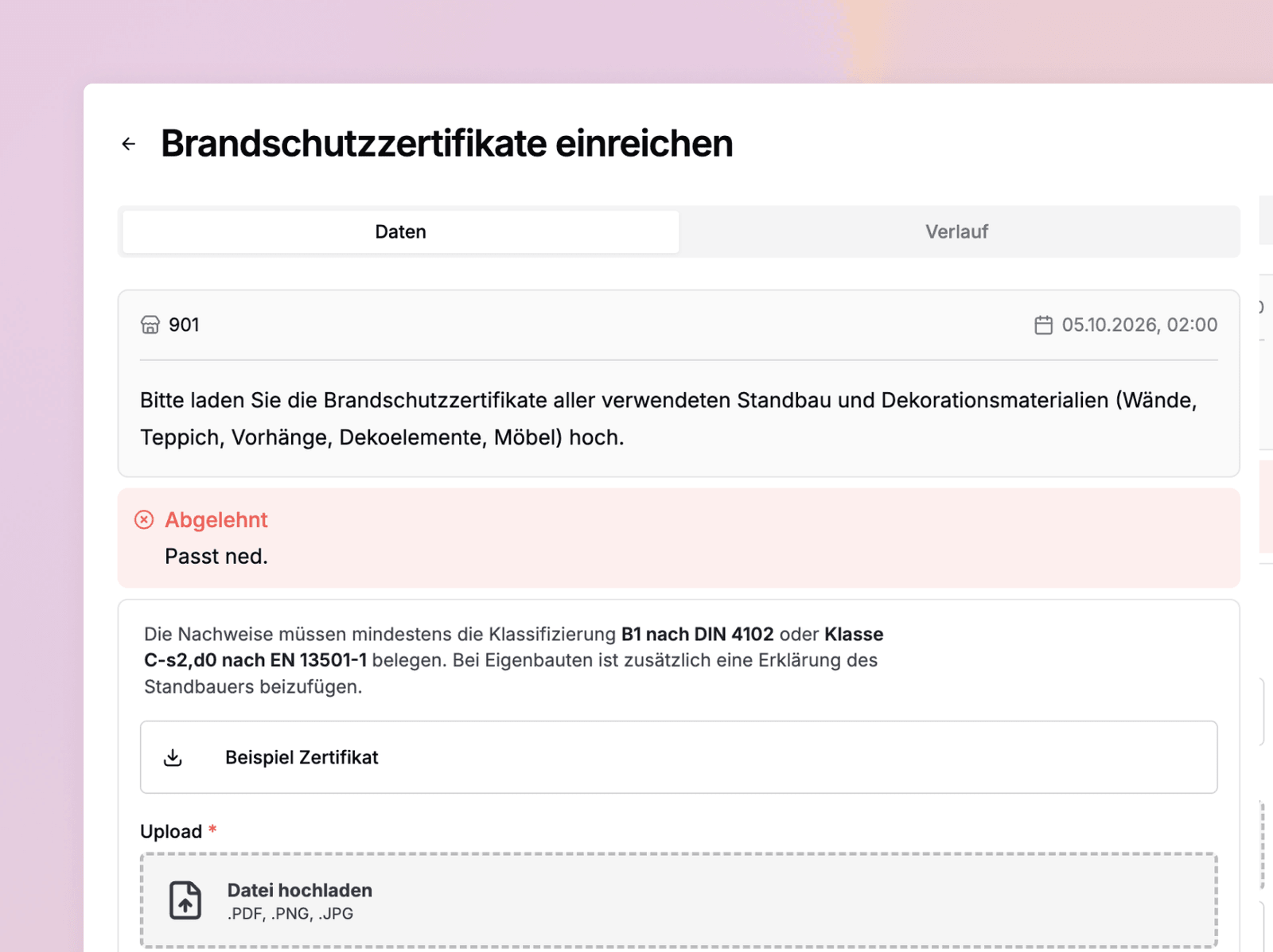
Create tasks that exhibitors receive automatically: submit data and certificates, place booked products on the area or book products from a category. Behind every task there can be an approval process handled by your team or an external service provider, for example for fire safety certificates or design files. Approving, rejecting and commenting happens directly in the portal, and reminders before and after the deadline run automatically.
- Three task types: submit data, place objects, book products
- Approval by your team or external service providers
- Automatic reminders before and after the deadline
- Overview of which exhibitor has completed which tasks
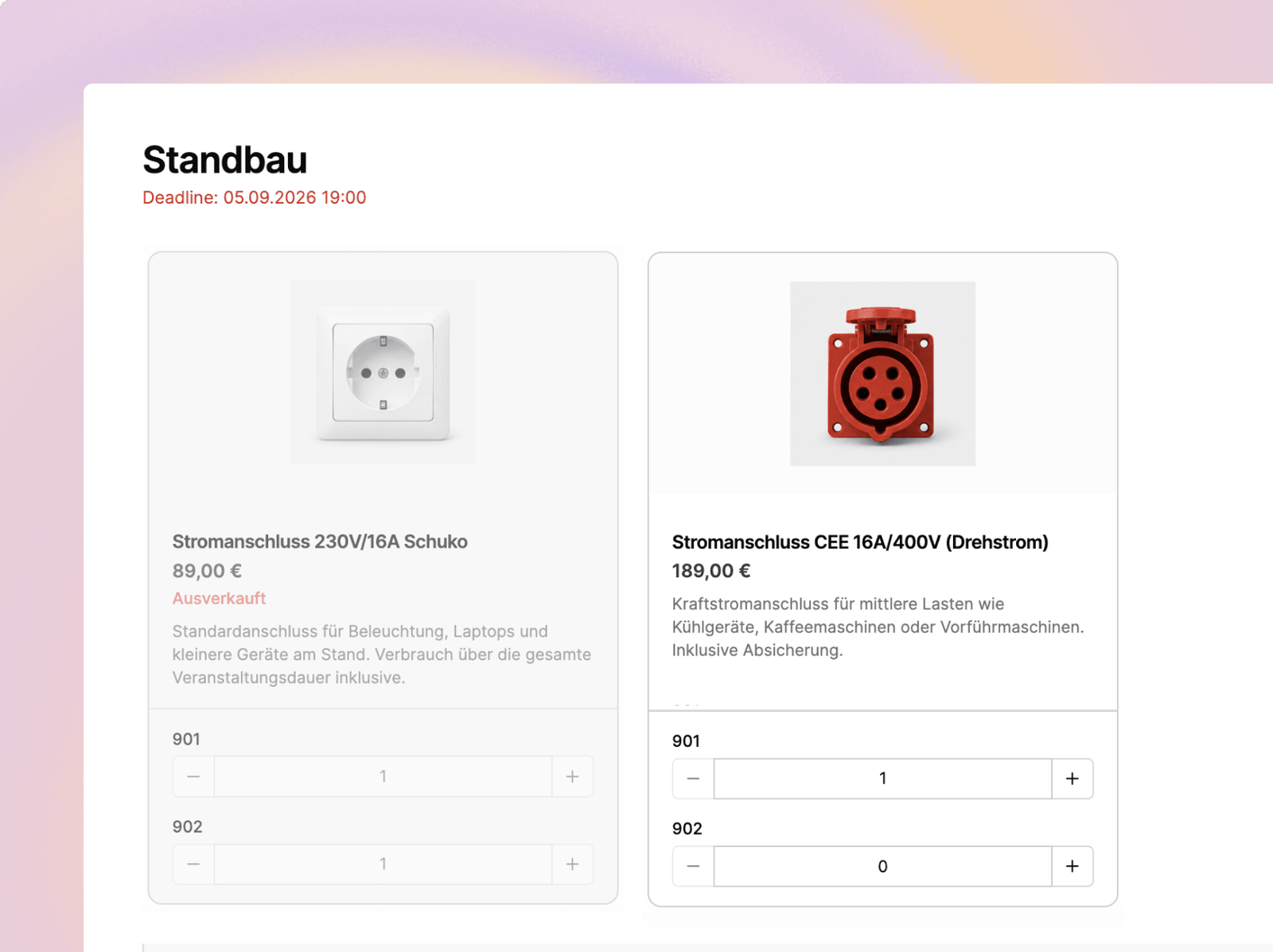
Configurable shops for marketing, booth construction and more
Set up several shops per event and structure them into categories and subcategories. Define booking deadlines and embed your own shop terms and conditions. Exhibitors rebook services independently, and organizers and service providers can be notified of rebooking requests.
- Several shops per event, structured into categories and subcategories
- Freely definable booking deadlines per category
- Your own shop terms and conditions embedded directly
- Independent rebooking with notification on requests
Support requests and information pages in one place
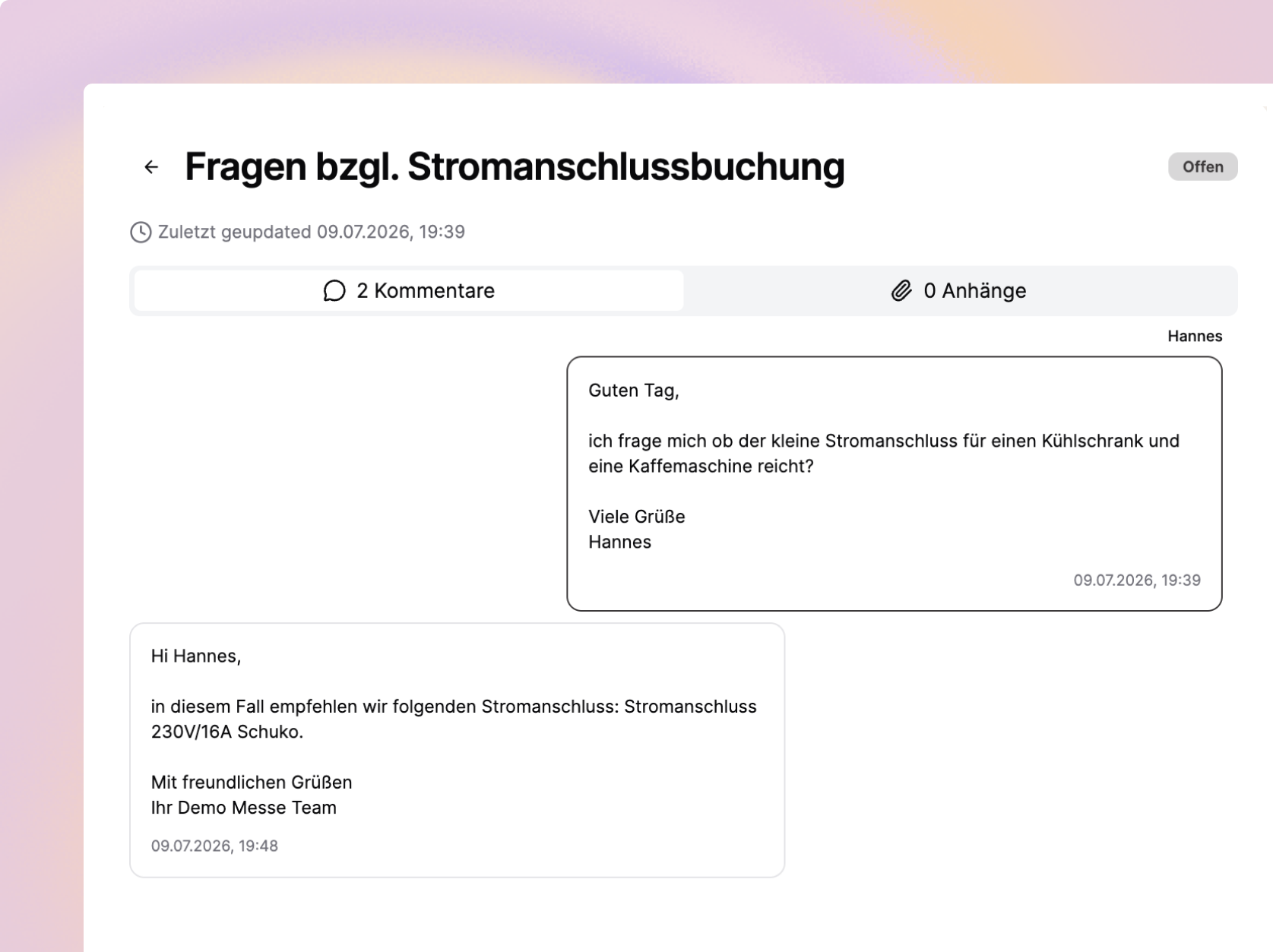
Exhibitors create support requests directly in the portal, including attachments. Requests land with the responsible people on your team, and an AI drafts suggested replies. Store technical guidelines, set-up and dismantling times and other content as your own information pages, so exhibitors find everything for their preparation in one place.
- Support requests with attachments, routed to the responsible person
- AI-drafted reply suggestions for your team
- Your own information pages, e.g. for technical guidelines
- All requests documented in the portal
Everything they need for operations
From booking to show opening
Automatic reminders
Responsible people receive automatic reminders by email before and after the deadline.
Progress at a glance
Open, in progress, done: the processing status is visible to exhibitors and organizers.
Complete history
Submissions, approvals and rejections are documented per task.
Tasks with dependencies
Define upload forms freely and query them based on product booking, exhibitor group or tag.
Third-party access
Invite service providers to approve individual tasks, for example for power connections or fire safety certificates.
Exhibitor communication
Deadlines and updates from the organizer reach exhibitors by email and directly in the portal.

„With Fairoo, we digitalized our operations: approval processes, uploads and the exhibitor shop. Exhibitors could book their own power connections, place them and, if needed, draw them directly onto their booth space. We also captured fire safety certificates per booth space, rejected them in case of deficiencies and automatically sent reminders when submissions were missing. Through the shop and reminders, we grew our product sales by more than 30%.“
Frederic Zwickl, Head of Production MJ Berlin
Fewer questions
Tasks, bookings, shops and technical information are in one place. Exhibitors find answers themselves before they ask your team.
Deadlines under control
Every task has a deadline, and Fairoo sends reminders automatically. You see at any time how far along each exhibitor is and where data is missing.
Clean data and certificates
You review submissions like fire safety certificates in the approval process, with comments and a documented history per task.
Add-on revenue in the shop
From marketing to booth construction: exhibitors see prices and details and book add-on services directly or submit a request.
Demo
Book a no-obligation intro call
In a short intro call you'll receive trial access and can walk through a process live using one of your own events, with no commitment.
Scheduling via Cal.com
We use the external service Cal.com (a US-based provider) for online scheduling. A connection to Cal.com's servers, transmitting your IP address among other data, is only established once you activate it. For details, see our privacy policy.